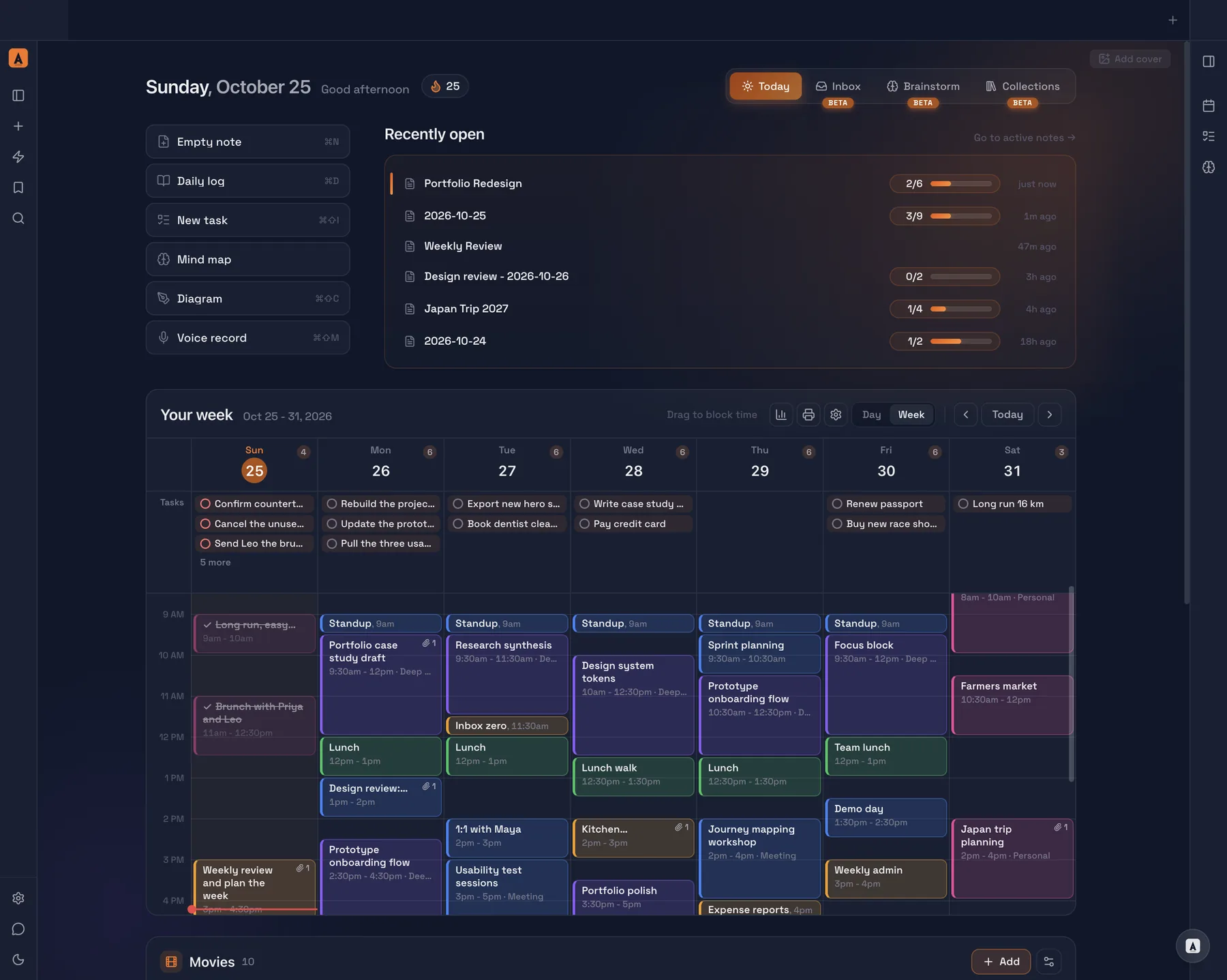

Leave the chores out
Most notes apps start empty and ask you to build the system. Ariv ships with the system already working.
No plugins
Tasks, calendar blocking, Kanban, collections, mind maps, diagrams and voice memos are in the app on day one.
No account
Download it and write. Nothing to sign up for.
No filing
Recent notes stay in front. The rest step back on their own.
No lock-in
Plain Markdown files in your own folder. Leave any time.
Notes that look finished
You type plain Markdown. Ariv shows it finished as you go: headings, bold, tables, checklists, callouts and links to your other notes.
- Tables
- Checklists
- Callouts
- Highlights
- Linked notes
Every note is a .md file in a folder you choose, so it opens anywhere. Eleven themes, one click apart.


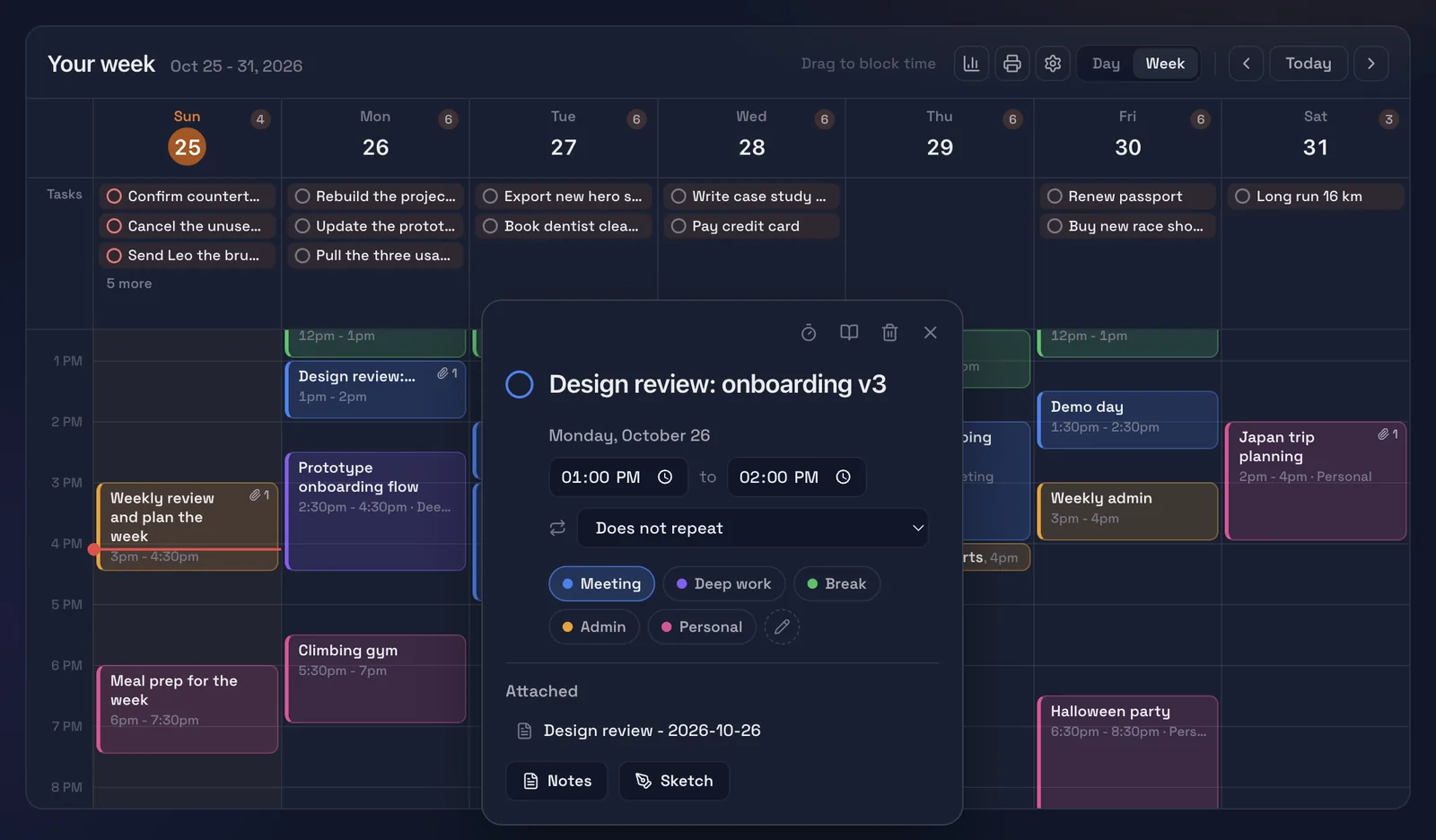
Block your week
Drag across your week to block time for meetings, deep work, breaks, admin or personal plans. Any block can carry its own note, and the tasks due that day sit right above it.
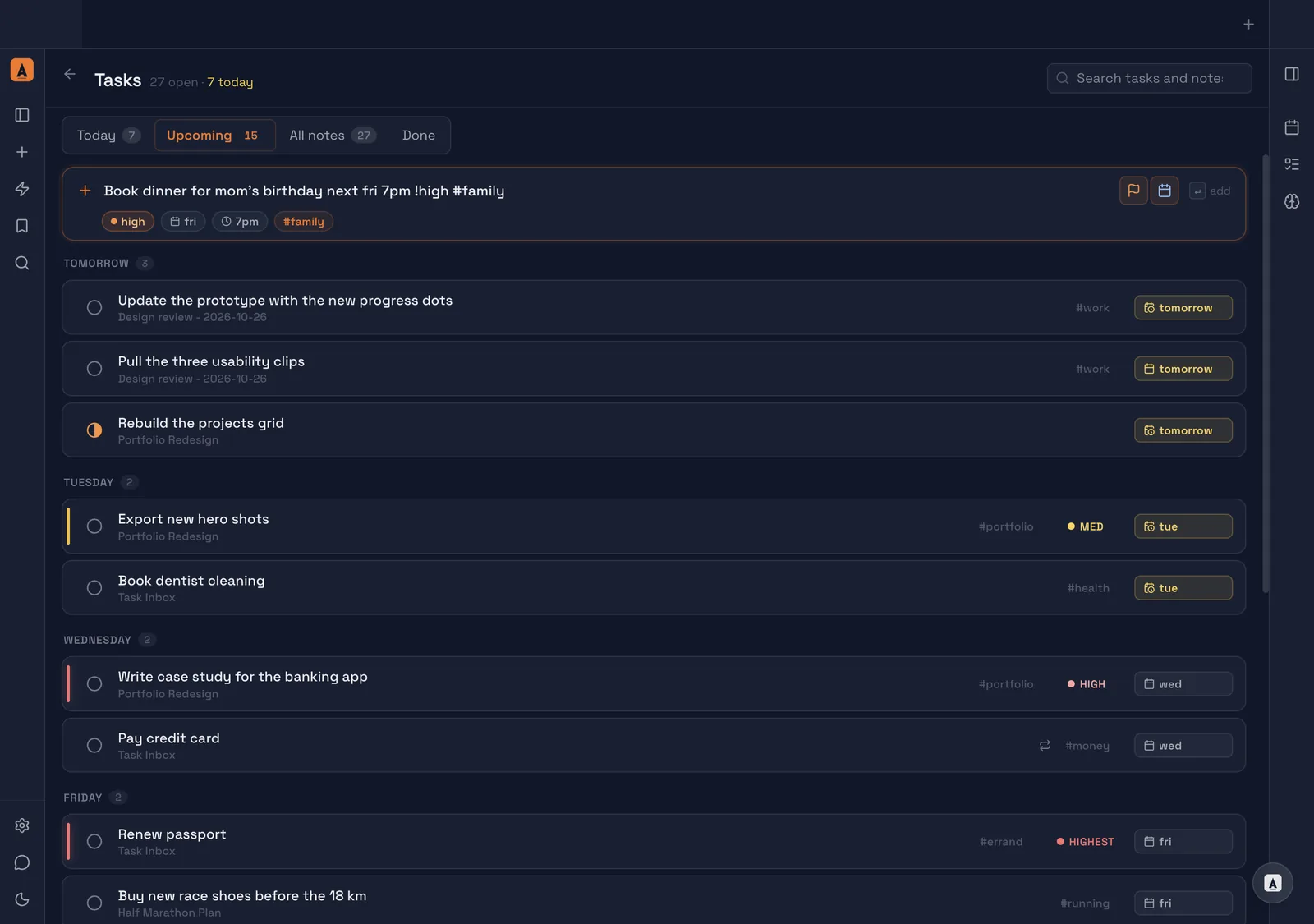
Type it like you say it
Write “book dinner for mom’s birthday next fri 7pm !high #family” and Ariv sets the day, the time, the priority and the tag. Today, Upcoming and Done keep the list honest.
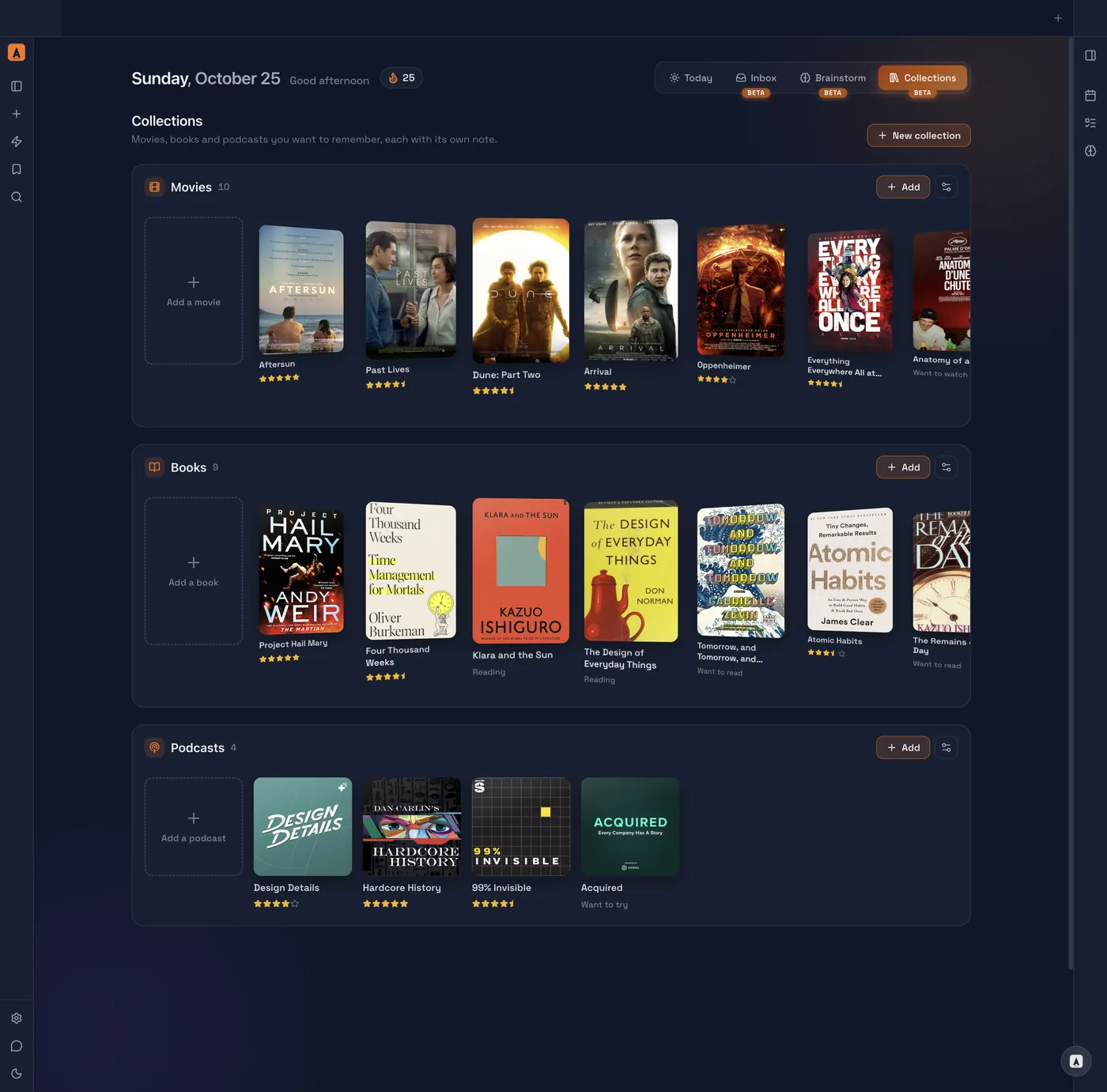
Keep what you love
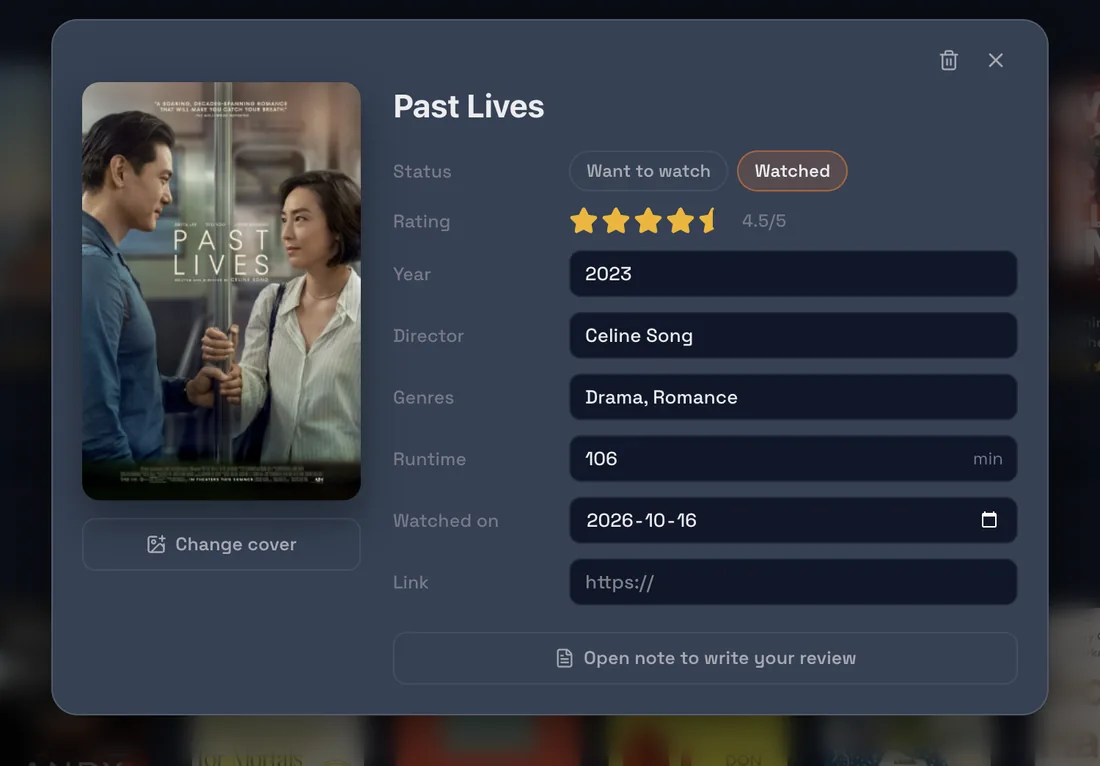
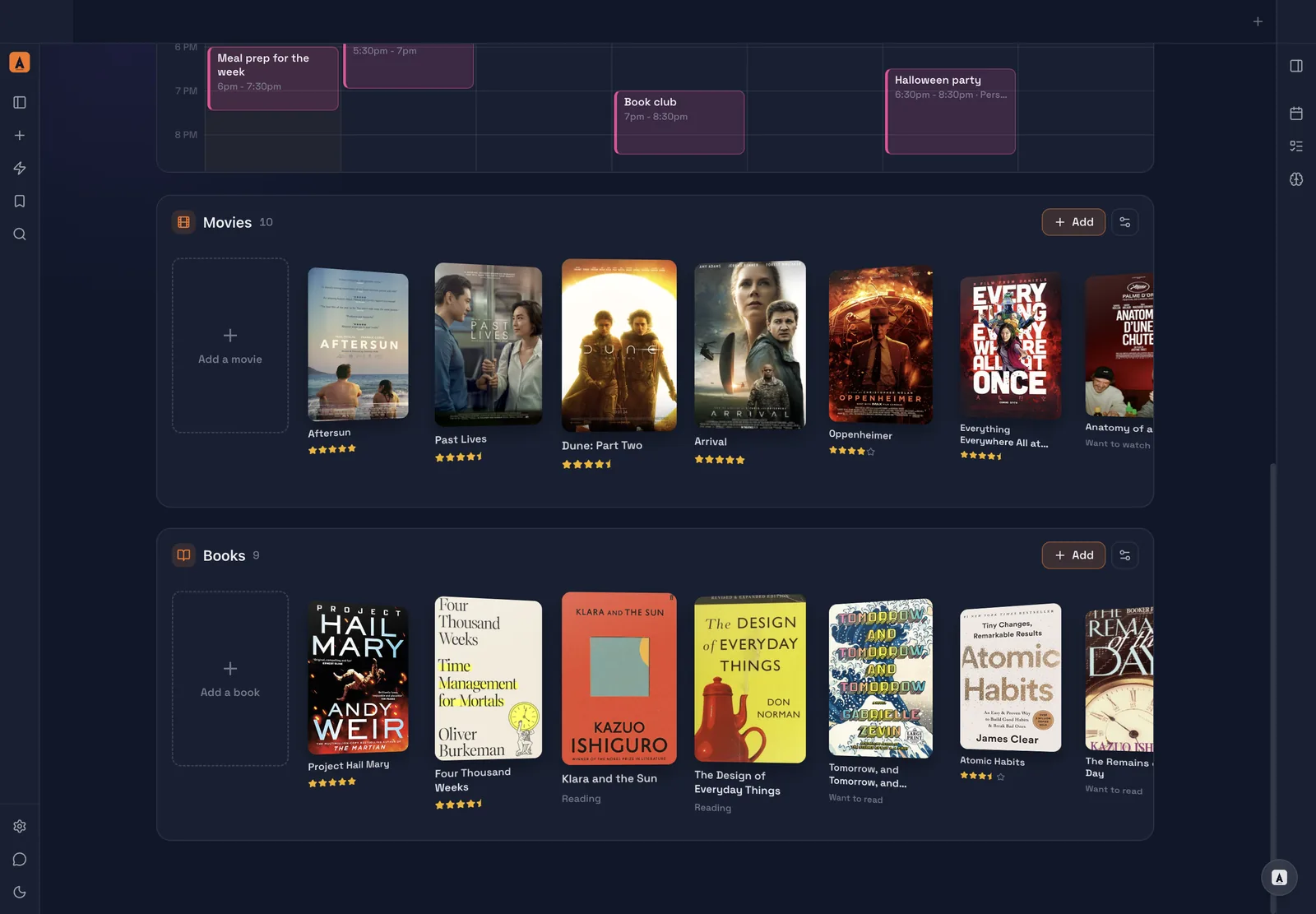
Collections for the movies, books and podcasts in your life, with covers, ratings and a status, and a note for your review whenever you feel like writing one.
Not just words
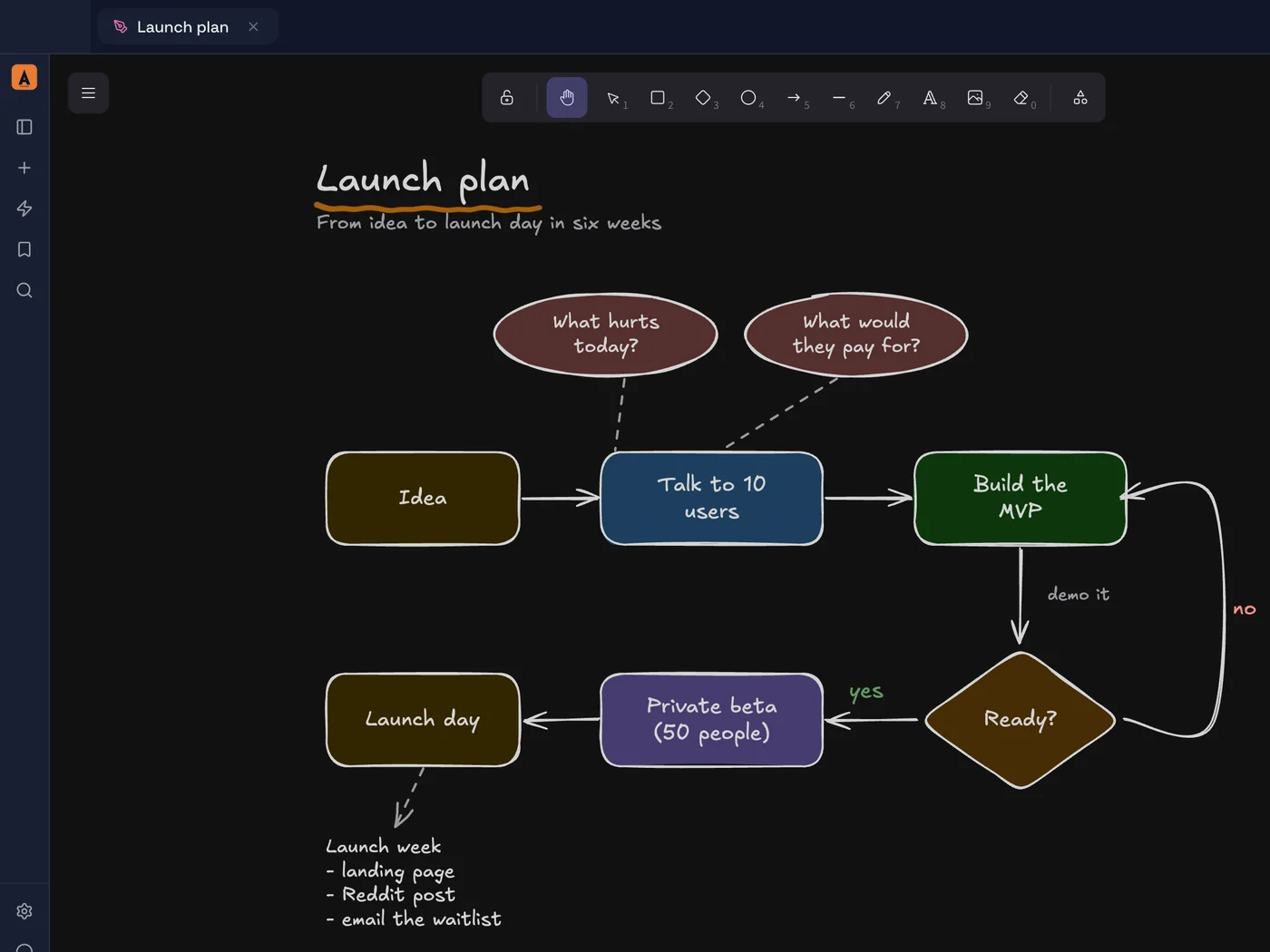
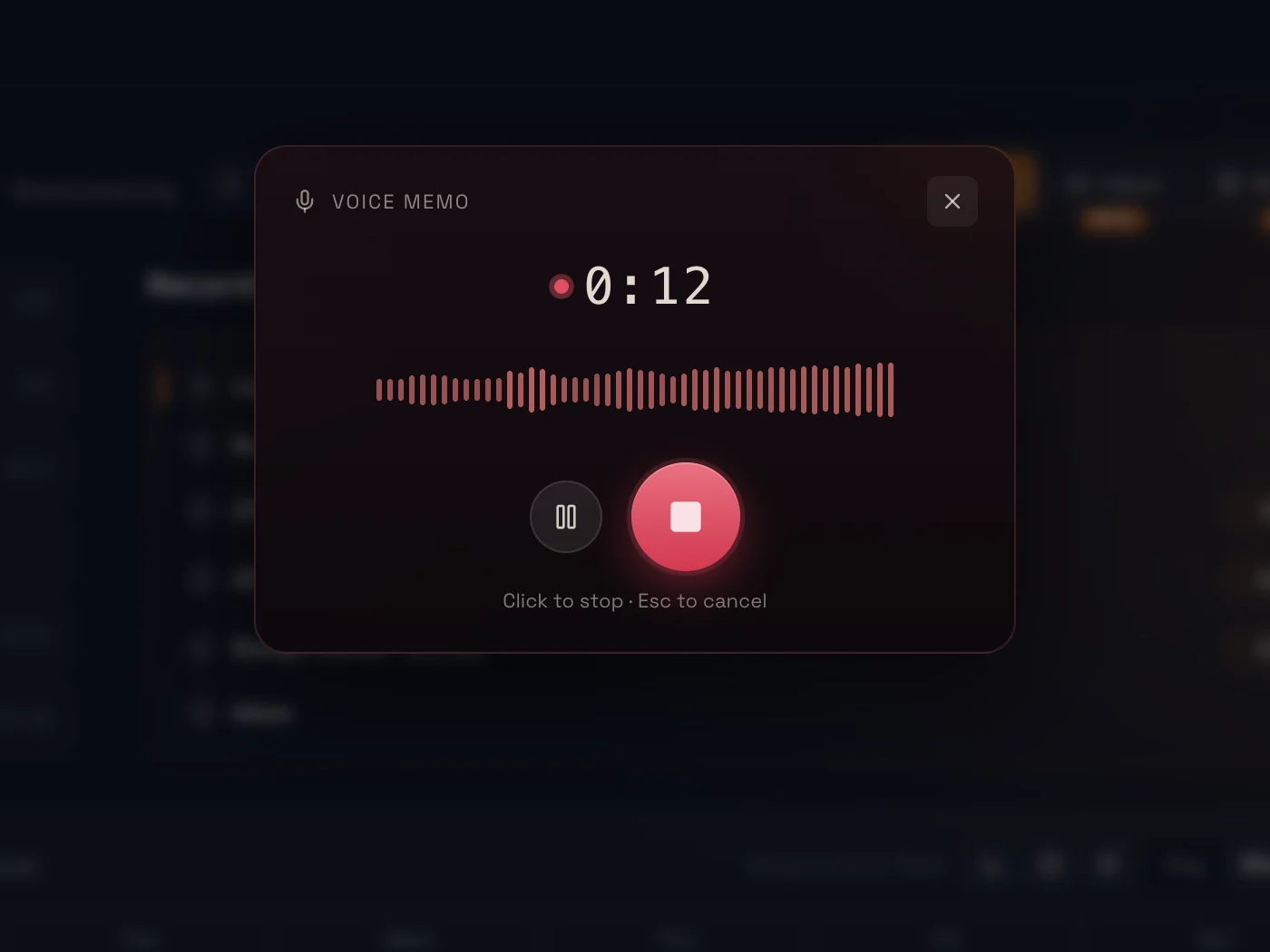
Some thoughts are a picture. Some come out easier said. Draw a diagram or record a voice memo, and it lands in your notes next to everything else.
Diagram
Boxes, arrows and a pen on an endless canvas, built on Excalidraw. Drop it into any note and it shows up as a picture.
Record
Talk it through on a walk. The audio saves to your folder, with a transcript when transcription is on.
Nothing to file
Now
Inbox
Five days
Active
After that, for good
Background

- First, a quick capture lands in Inbox.
- Then, any note you touch stays Active for five days, and a note with open tasks stays until they are done.
- After that, untouched notes step back to Background. Search still finds them, and the file never moves on your disk.
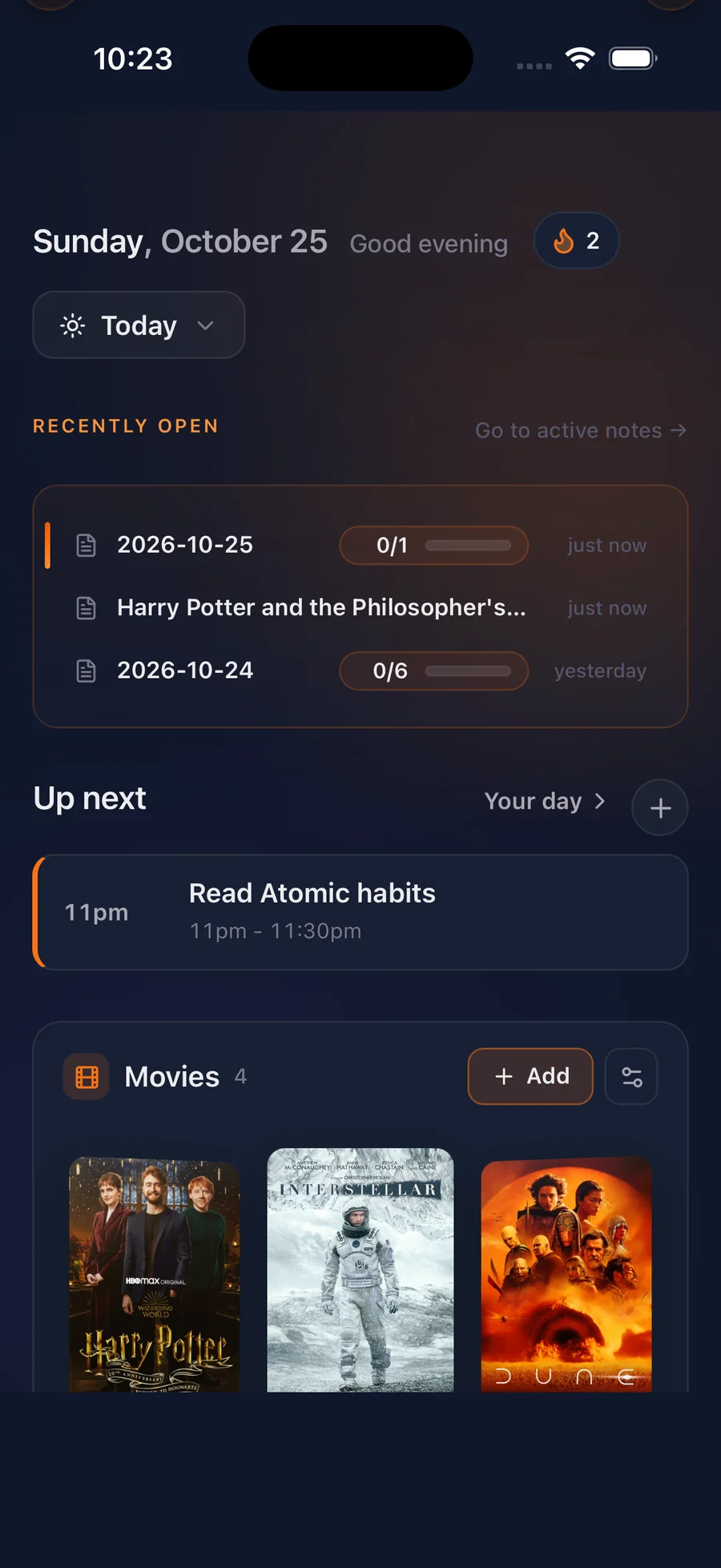
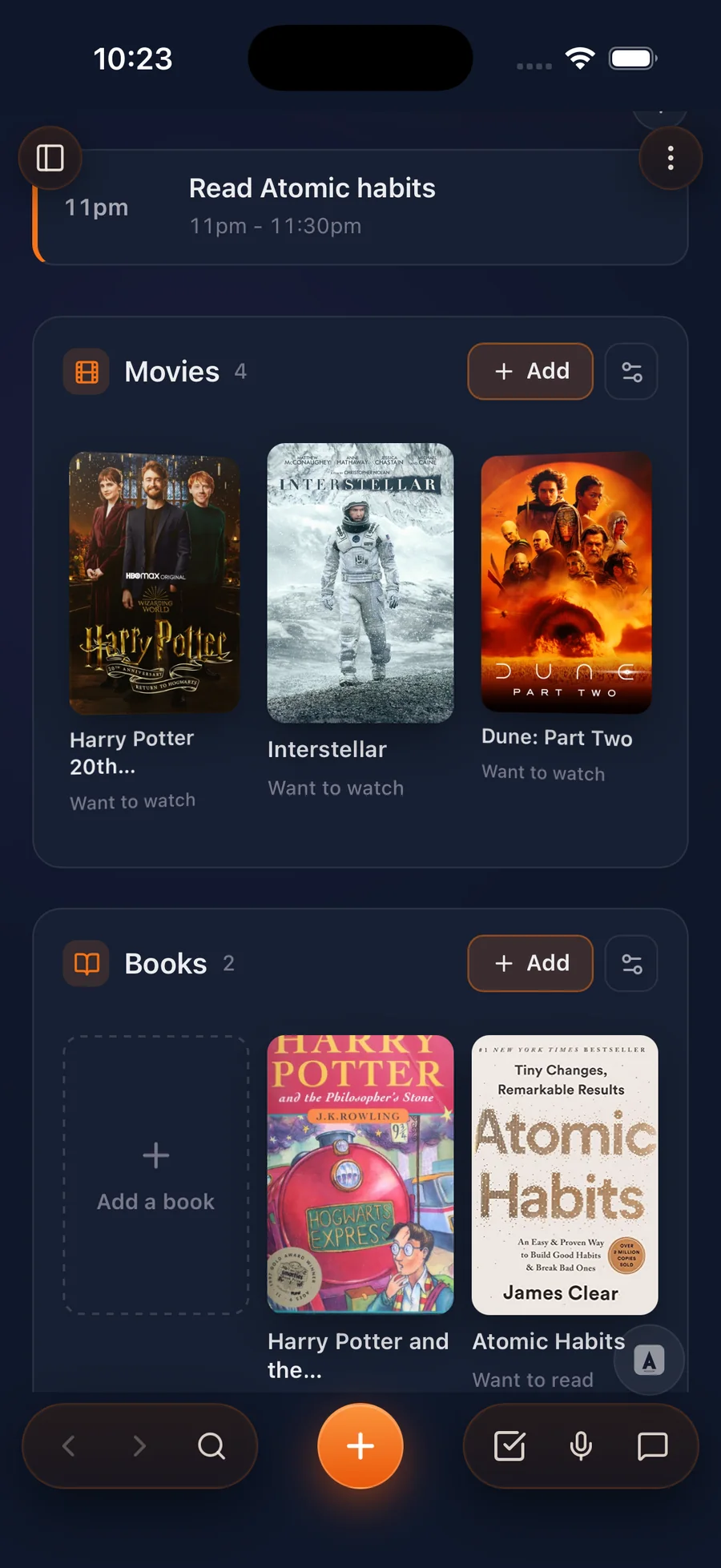
Capture anything on the go
Ariv is on Android and iOS. A film a friend swears by, a book to read next, something to remember later: get it down in a few seconds. Ariv’s got your back.
Every tool, built in
- Quick capture⌃⇧NSaves a thought to your Inbox from anywhere, even with Ariv in the background.
- Daily notes⌘DOpens today’s note, ready to write in, with your streak counting.
- New task⌘⇧IType it like you say it: “next fri 7pm !high #family” sets the day, time, priority and tag.
- Block time⌘JDrag across your week to block meetings, deep work and breaks, right on the dashboard.
- Collections⌘JMovies, books and podcasts with covers, ratings and a note for your review.
- Mind map⌘JBranch an idea out from the dashboard, then turn the branches into notes.
- New diagram⌘⇧COpens an Excalidraw canvas saved next to your notes.
- Voice record⌘⇧MRecords your voice and keeps a transcript you can search.
- Search notes⌘OFinds any note in an instant, offline, without folders.
- Kanban⌘⇧KYour tasks as To do, In progress and Done.
- Ask your notes⌘LOptional AI with a local model or your own key. Off by default.
No command matches. Try “task” or “note”.
Works with your files
Open an existing folder. Keep editing it anywhere.
ObsidianOpen your vault in place
iA WriterWrite in the same files
LogseqPoint Ariv at the folder
VS CodeEdit any note as plain text
CursorKeep specs next to your code
TyporaPreview the same Markdown
iCloud DriveSync the folder for free
DropboxSame folder on every device
SyncthingSync device to device
GitVersion every change
Why local-first Markdown matters Browse free tools and resources
How it compares
| Area | Ariv | Obsidian | Notion |
|---|---|---|---|
| Where notes live | Ordinary Markdown files in your own folder | Local Markdown files | A cloud workspace of pages, blocks and databases |
| Tasks and Kanban | Task views and Kanban built in, tied to your notes | Checkboxes in core; task and Kanban workflows usually added with plugins | Database projects with properties, views and collaboration |
| Setup | Workflows ready out of the box | A foundation you extend with settings and plugins | Pages and databases you assemble |
| Offline | Local by default | Local by default | Selected pages can be downloaded in the apps |
| AI | Optional: a local model or your own key | Community plugins and external services | Notion AI features on eligible plans |
| Platforms | Mac, Windows, Android and iOS | Mac, Windows, Linux, iOS and Android | Web, Mac, Windows, iOS and Android |
| Best fit | A low-maintenance personal system on plain files | Maximum control and customization | Shared work across people and databases |
Read the full comparisons: Ariv vs Obsidian, Ariv vs Notion, Ariv vs Logseq.
The full app
- Every feature, no limits
- No account, no card
- Mac, Windows, Android and iOS
- Local AI or your own key, free
- Sync your folder with iCloud, Dropbox, Syncthing or Git
- Hosted sync and AI: optional, paused for now
Straight answers
What is Ariv, in plain English?
Ariv is a free notes app for Mac, Windows, Android and iOS. It keeps your notes, tasks, calendar, Kanban boards, collections, diagrams and voice memos in one place, and saves everything as plain Markdown files in a folder on your device.
Can I open my existing Obsidian folder?
Yes. Point Ariv at any folder of Markdown files, including an Obsidian, iA Writer or Logseq folder. Ariv opens it in place. Nothing is imported, converted or moved, so you can keep using your other apps on the same files.
Why is the whole app free?
Your workspace runs on your own device, so there is nothing for us to host. Every feature is free and needs no account. You would only ever pay if you want Ariv to host sync or AI for you, and new hosted subscriptions are paused for now.
Does Ariv send my notes to an AI?
Not unless you turn it on. AI is off by default. If you want to ask questions about your notes or search by meaning, you can run a local model with Ollama so nothing leaves your device, or connect your own Gemini, OpenAI or Anthropic key.
How do I sync between devices?
Keep your notes folder in iCloud Drive, Dropbox, Syncthing or a Git repository and open it in Ariv on each device, at no extra cost. Ariv’s own encrypted sync is optional, and new sign-ups are paused while we improve it.
Which devices does Ariv run on?
Ariv runs on Macs with Apple Silicon and on Windows. On your phone, get Ariv for Android on Google Play or Ariv for iOS on the App Store, and email yourself the desktop download link for later.
Capture everything.
Free, no account, nothing to set up. If Ariv isn’t for you, your files stay exactly where they were.