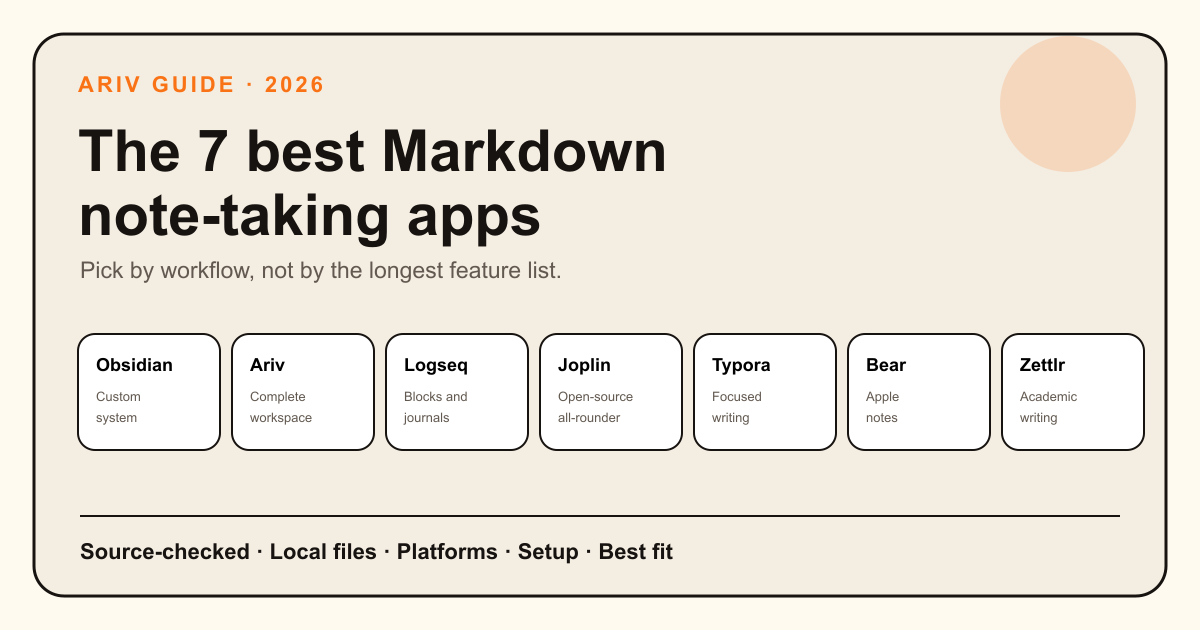
Markdown note-taking apps share a useful promise: your writing stays readable outside the app. Beyond that, they solve very different problems. Some are clean editors. Some are personal knowledge management systems. Some are research tools. Others add tasks, calendars, search, and capture around the same plain-text files.
This list gives every app a clear best for label, then explains the tradeoff. Our overall order favors flexibility, configurability, ecosystem maturity, and long-term usefulness, which puts Obsidian first. Ariv ranks second for people who want the local Markdown foundation in a more complete, preconfigured workspace. Ariv is included because this guide is published by Ariv, so we use the same criteria for it and name the cases where another app is better.
The best Markdown note-taking apps at a glance
The most configurable local Markdown system here, backed by a mature plugin and theme ecosystem.
Local Markdown with cohesive first-party tasks, calendar, graph, capture, search, and optional AI.
Journals, blocks, backlinks, and queries for networked notes.
Markdown notes, web clipping, end-to-end encrypted sync, and plugins.
A polished writing surface that hides Markdown syntax while you work.
A fast, polished notes app built around tags and Apple devices.
Open-source Markdown with citations, projects, and Pandoc export.
How we picked these apps
We looked for apps that support Markdown as a real part of the workflow, not just a one-time export format. We then compared five practical questions: Who controls the files? How quickly can you start? How well does the app organize a growing library? Which platforms does it support? What must you add or maintain to get the workflow you want?
1. Obsidian
Best overall for flexibility, configurability, and pluginsObsidian is our top overall pick. It stores notes as local Markdown files and gives you a capable core app with backlinks, graph view, Canvas, Bases, daily notes, templates, and search. It has also been around longer than Ariv and has built a much larger, more mature community ecosystem. Plugins, themes, CSS, and detailed settings let you shape an unusually specific personal knowledge management system.
That freedom can be the point, or the cost. A simple vault can stay simple. A complex setup asks you to choose and maintain more moving parts. Obsidian supports Mac, Windows, Linux, iOS, and Android. The core app is free, while Sync and Publish are optional paid services.
- Choose it if: you enjoy shaping your tools or need a specialized plugin.
- Skip it if: configuration regularly distracts you from the work.
2. Ariv
Best for a preconfigured, batteries-included local workspaceAriv takes the opposite approach to Obsidian's build-your-own flexibility. It starts as a complete local Markdown workspace, with tasks, Kanban, daily notes, calendar, graph, fast capture, voice memos, automatic organization, unified search, and optional AI already connected.
Ariv does not try to match Obsidian's plugin ecosystem. Its advantage is that these features are first-party: they are designed to work together, supported by one team, and maintained on one release cadence instead of being spread across plugins from different authors. AI is first-class but optional, with local models, your own API key, or managed AI available.
The full app is free with no note-taking feature gates. Ariv Sync starts at $3 per month when billed yearly, compared with $4 per month for Obsidian Sync Standard when billed yearly. Ariv runs on Mac, Windows, and Android, with iOS in development, and it can open an existing Markdown folder without importing or converting it.
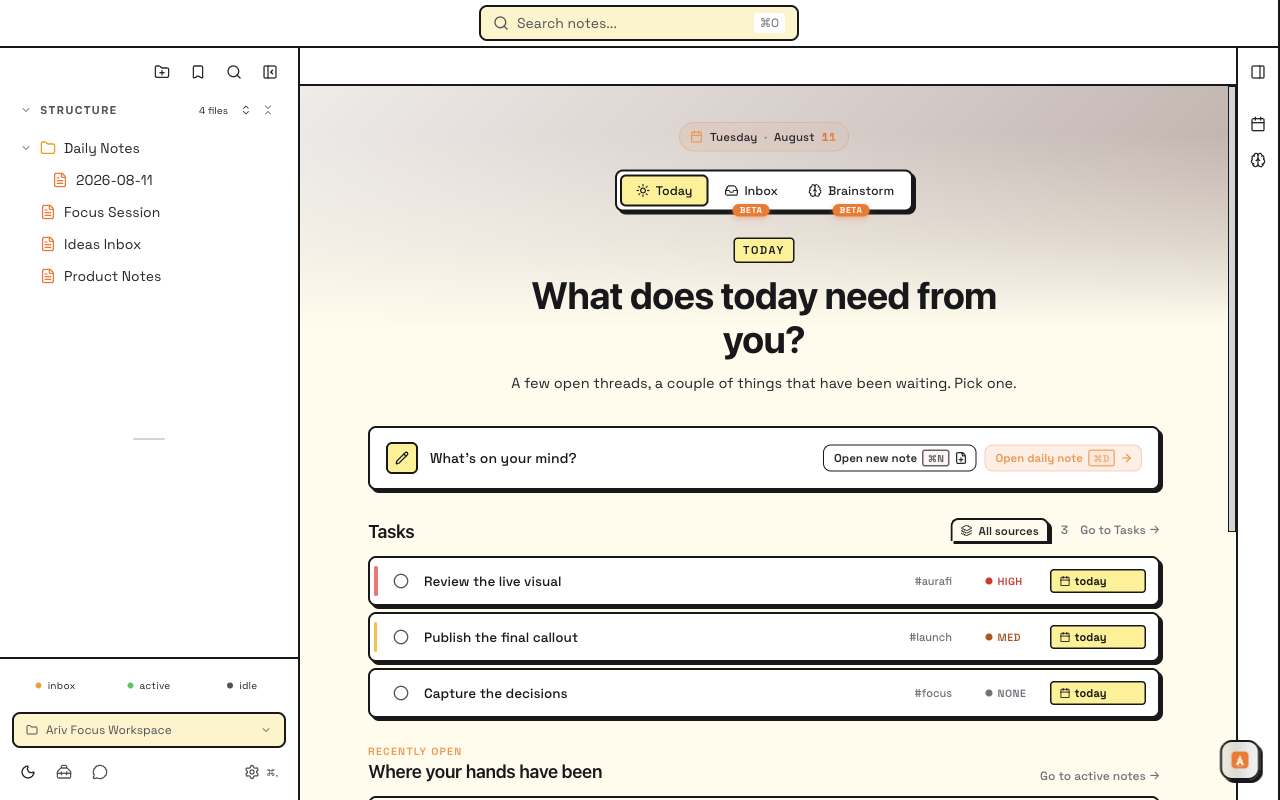
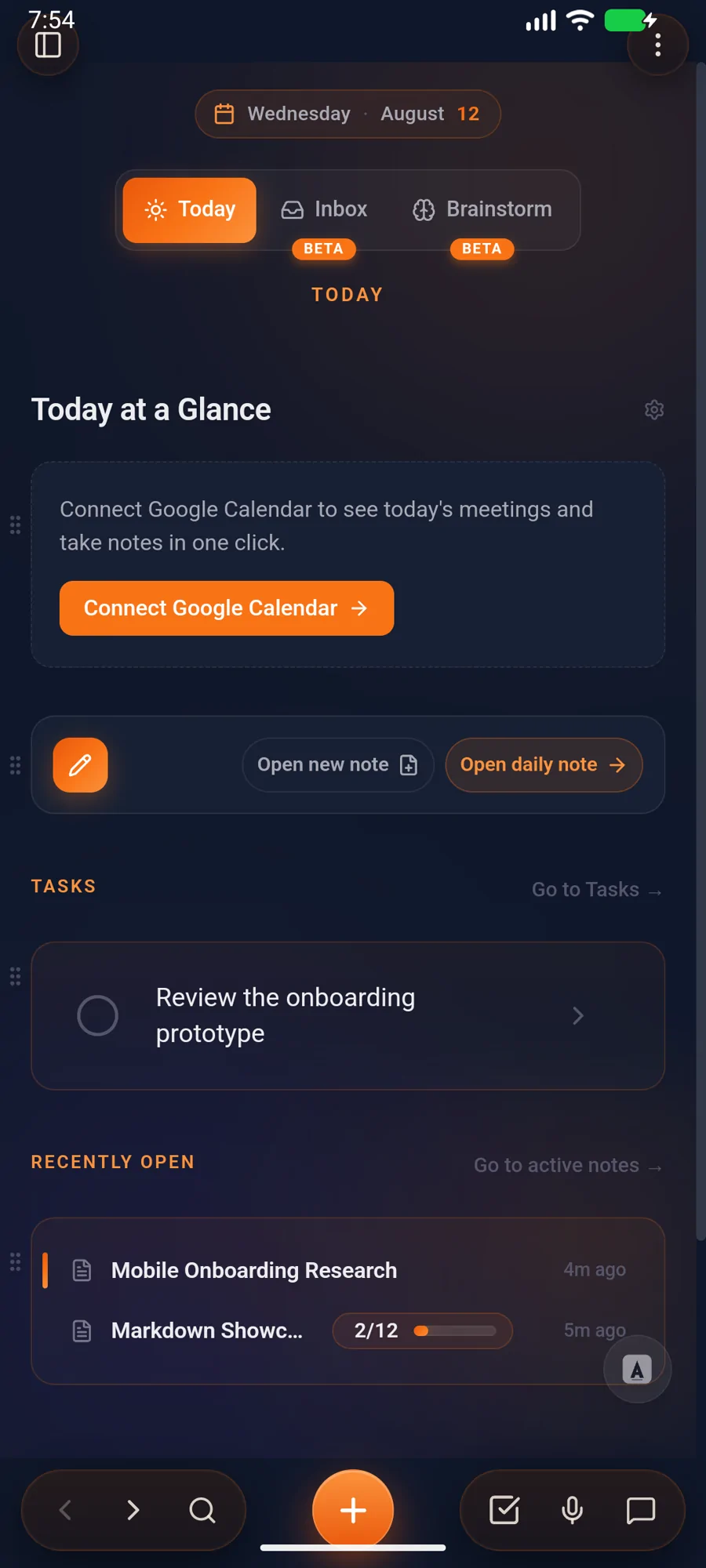
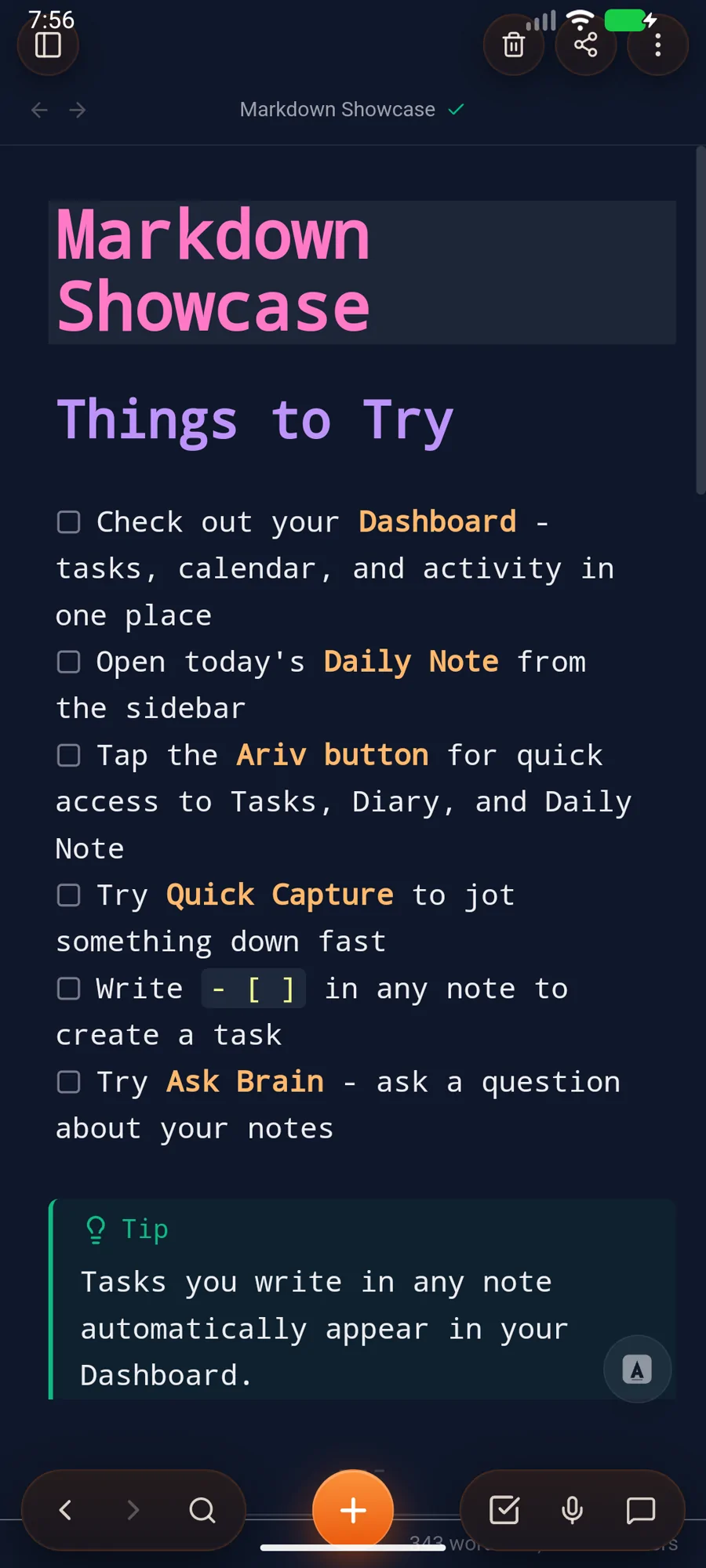
All screenshots show real Ariv interfaces with fictional sample data.
- Choose it if: you want the useful parts preconfigured, one support path, and less plugin maintenance.
- Skip it if: you need Linux or iOS today, a large plugin ecosystem, or deep workflow scripting.
3. Logseq
Best for block-based thinking and journalsLogseq starts with an outliner. Each block can be referenced, linked, queried, and reused, while the daily journal provides a natural capture point. That model is useful when ideas do not belong neatly inside long documents.
Logseq is open source and available on desktop and mobile, but buyers now need to distinguish its established file-graph app from its newer database version. The database version adds typed properties and table views, while Logseq labels it beta and describes its new iOS app and real-time collaboration sync as alpha. Classic file graphs remain the more settled choice.
- Choose it if: you think in bullets, journals, and linked blocks and are comfortable choosing the right Logseq generation.
- Skip it if: you mainly write long documents or want one settled storage, sync, and mobile story.
4. Joplin
Best open-source all-rounderJoplin combines Markdown notes, notebooks, to-dos, attachments, web clipping, plugins, and end-to-end encrypted sync. It is open source and works across Windows, macOS, Linux, Android, and iOS.
Its notes live in an app-managed profile rather than as a folder of directly editable Markdown files, though Markdown import and export are supported. That distinction matters if you want several editors to work on the exact same files. It matters less if you want a mature, cross-platform open-source notes app with flexible sync targets.
- Choose it if: open source, cross-platform support, and sync choice matter most.
- Skip it if: direct access to a normal Markdown folder is essential.
5. Typora
Best focused Markdown writing experienceTypora removes the split between source and preview. Markdown markers fade into a clean, live document as you write. It supports tables, math, diagrams, themes, export, and ordinary files without trying to become a task manager or second brain.
That restraint is its advantage. Typora runs on macOS, Windows, and Linux and uses a one-time license after its trial. Mobile apps, built-in sync, graph views, and project-wide knowledge workflows are outside its focus.
- Choose it if: writing and editing Markdown documents is the main job.
- Skip it if: you want connected notes, mobile capture, tasks, or a dashboard.
6. Bear
Best for a polished Apple-first notes appBear blends Markdown-style writing with a calm interface, fast search, nested tags, backlinks, sketches, and polished Apple platform integration. Notes are stored in Bear's local database, with Markdown and other export formats available.
The free version works locally. Bear Pro adds iCloud sync, themes, and more export options across Mac, iPhone, iPad, and Apple Watch. Bear Web provides browser access with an iCloud account, but there is no native Windows, Android, or Linux app. Bear also offers a Mac CLI, Claude connector, and local MCP server for external automation.
- Choose it if: you are Apple-first and value native polish over direct-file portability.
- Skip it if: you need native cross-platform apps or a direct folder of Markdown files.
7. Zettlr
Best for academic writing and citationsZettlr is a free, open-source Markdown editor for macOS, Windows, and Linux. It works with local files and adds features that matter to researchers and long-form writers: projects, citation support, Zotero integration, full-text search, and Pandoc-powered export.
Its interface is denser than a minimalist editor, and there is no official mobile app or managed cloud. In return, you get a serious research-writing environment without forced accounts, telemetry, or a proprietary file store.
- Choose it if: your notes lead into papers, citations, or complex exports.
- Skip it if: mobile capture and a simple everyday task workflow matter more.
How to choose a Markdown notes app
Start with the job, not the feature count. Obsidian ranks first overall because it offers the widest flexibility, the most mature ecosystem, and the highest customization ceiling. Ariv ranks second because it provides a more cohesive, preconfigured experience with first-party support and optional AI. If your thinking begins in outlines and journals, use Logseq. If open source and broad device support lead, use Joplin. If you mainly write, Typora is refreshingly focused. Apple-first users should look at Bear. Researchers who live in citations and exports should start with Zettlr.
Then test your top two with the same small folder of real notes. Try capture, search, one weekly task review, and one export. The winner is the app you can still understand during a busy week, not the one with the longest feature list.
Doing a doctorate? The PhD note-taking apps guide compares a wider research stack, including Zotero, citation workflows, PDF annotation, long-form writing, and project tracking.
Sources and verification
- Ariv features and platforms
- Obsidian Help, community plugins, and pricing
- Logseq product and database-version status, database documentation, and classic documentation
- Joplin Help, plugins, and plans
- Typora, Markdown support, and licensing
- Bear features and pricing, web and sync, and automation tools
- Zettlr features
Last verified September 6, 2026.
Found something inaccurate? Tell us and we will correct it.