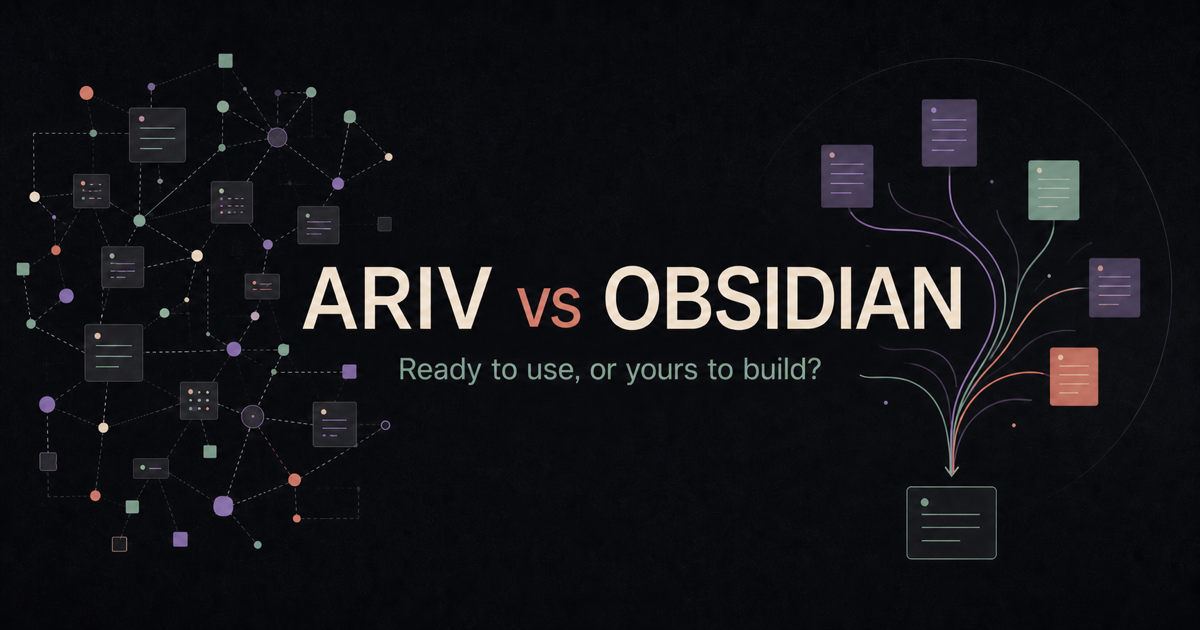
Ariv is designed to be useful before you make a single decision about plugins or system architecture. Tasks, Kanban, daily notes, fast capture, voice memos, automatic organization, search, and optional AI are built in and maintained as one product. You can personalize the theme, fonts, text size, and accent colors, but you do not have to design how the app works before you can use it.
Obsidian makes a different tradeoff. Its core app is a capable Markdown editor and knowledge base, and its official features already include tools such as Daily notes, Canvas, Bases, Graph view, and Templates. Its much larger community ecosystem lets you go further by adding specialized plugins, themes, and CSS. If you know exactly how you want your workspace to behave, or enjoy discovering and shaping that workflow, this flexibility is a real strength.
Both products keep your notes as local Markdown files. Both work offline, and neither requires you to hand your notes to a proprietary cloud database. The meaningful difference is what happens after that foundation is in place.
Ariv gives you a cohesive system to use. Obsidian gives you a flexible system to shape. For people who enjoy refining plugins, dashboards, and detailed workflows, Obsidian offers far more control. For people who are tired of maintaining that machinery, or never wanted to build it in the first place, Ariv offers the same local Markdown foundation with more of the decisions already made.
The short answer
You want a cohesive tool
- You want local Markdown without assembling a workflow first.
- You want tasks, capture, organization, and search maintained together.
- You want to personalize the appearance without maintaining the architecture.
- You want AI built in but optional, with local, BYOK, and managed paths.
You want deeper control
- You enjoy choosing plugins and crafting precise workflows.
- You need Linux support or a mature community ecosystem.
- You have a specialized setup that already works for you.
- You want the widest range of extensions, themes, and CSS control.
Ariv gives you a system to use. Obsidian gives you a system to shape.
First, what is actually the same?
Ariv and Obsidian share the part that matters most for long-term ownership: your vault is a folder of files on your device. Your notes are readable Markdown, attachments remain normal files, and the app is not the only way back into your work.
That gives both products several important advantages over cloud-first workspaces:
- your notes are available offline,
- you can back them up with ordinary file tools,
- you are not trapped in a proprietary database, and
- the core app can be used without a paid plan.
Ariv can open an existing Obsidian vault as-is. There is no import, conversion, or duplicate library. Your folders, tags, Markdown links, and attachments remain where they are, so trying Ariv does not require a one-way migration.
Ariv vs Obsidian side-by-side
| Area | Ariv | Obsidian |
|---|---|---|
| Files | Local Markdown files | Local Markdown files |
| Core app | Free, no feature gates | Free, no feature limits |
| Setup model | Cohesive workflows and defaults out of the box | Capable foundation you can extend through settings and plugins |
| Extensibility | No plugin system; included features update together | Large community plugin and theme ecosystem |
| Customization | Themes, editor fonts, text size, and accent colors | Themes, CSS snippets, plugins, and deep workflow control |
| Tasks and Kanban | Dedicated task views and Kanban built in | Markdown checkboxes in core; dedicated task and Kanban workflows commonly added through plugins |
| Organization | Folders and tags, plus recency-based lifecycle and automatic tags | Folders, tags, links, properties, search, graph, and user-built workflows |
| AI | Built in; local models, your API key, or managed AI | Available through community plugins and external services |
| Official sync | 10 GB, up to 3 devices, from $3/month billed yearly | Standard: 1 GB and 1 vault from $4/month billed yearly |
| Platforms | Mac, Windows, and Android; iOS in development | Mac, Windows, Linux, iOS, Android, and headless |
| Best fit | A lower-maintenance system with strong built-in workflows | Maximum control, customization, and ecosystem breadth |
Prices shown in USD. Ariv Sync is $4 monthly or $3 monthly when billed yearly. Obsidian Sync Standard is $5 monthly or $4 monthly when billed yearly. Both companies offer other plans or services.
Setup and maintenance
Ariv treats many decisions that users repeatedly make for themselves as product decisions. Capture has a defined place. Tasks have dedicated views. Current notes stay visible while older work moves into the background without being deleted. Automatic tags add another layer of organization without moving or renaming your files. These parts are designed and tested together, so the starting point is already a working system.
Ready to use does not mean visually fixed. Ariv lets you choose light, dark, or system themes, change editor and interface fonts, adjust text size, and select an accent color. The boundary appears at deeper behavior: Ariv does not have a community plugin API, so you cannot replace its task model or install a specialized dashboard someone else built.
Obsidian starts from a different philosophy. Its own documentation describes the product as a foundation with building blocks rather than an opinionated, assembled solution. The core app is useful on its own, while core plugins add official capabilities and community plugins cover less common workflows. That lets experienced users create a workspace that matches highly specific preferences.
The maintenance cost depends on how far you take that flexibility. A simple Obsidian vault may need almost none. A setup built from several community plugins, custom queries, themes, and CSS asks you to choose, configure, and update those pieces. Some people find that process satisfying. Others eventually notice that their note-taking system keeps reopening as an unfinished project. Our essay on why second-brain systems become maintenance work explores that failure mode in more depth.
Ariv is for the second group. Its benefit is not that configuration is always bad. It is that configuration should not be required to get a capable local-first Markdown workspace.
If plugin research and dashboard revisions keep displacing the work the system was meant to support, Ariv removes that recurring decision load. If tuning the system is enjoyable and the result stays useful, Obsidian is already serving you well.
Features and plugins
Ariv's dashboard, graph, Markdown tasks and Kanban, canvas, daily notes, templates, voice memos, capture, present mode, split view, unified search, automatic tagging, and AI ship as parts of one product. You do not need to compare task plugins or work out whether separate extensions share the same model of your notes.
Obsidian's official core plugins already cover features such as Canvas, Bases, Daily notes, Graph view, Templates, Audio recorder, and Backlinks. Its community plugin ecosystem goes much further. For specialized research workflows, publishing systems, complex queries, or highly personal interfaces, Obsidian has the broader ceiling.
The tradeoff is straightforward. If Ariv does not support a specialized workflow, you cannot install a community plugin to add it. With Obsidian, you often can. With Ariv, the included workflows require less assembly and have one team responsible for keeping them coherent.
AI and privacy
Ariv is AI-forward, but AI is optional. You can run a local model, provide your own OpenAI, Anthropic, Gemini, Groq, or OpenRouter key, or use Ariv's managed AI add-on. The same built-in AI workflows are available across those paths. If AI is turned off, the rest of the app still works.
Obsidian does not bundle a first-party AI assistant into the core app. Users who want AI can choose from community plugins and connect them to local models or third-party providers. That can provide more choice over the exact extension, while setup, behavior, and privacy depend on the plugin and provider selected.
For both apps, local files do not automatically make every optional service local. Sync and AI are separate decisions. Read the terms of any provider or plugin you connect, and choose the path that matches the sensitivity of your notes.
Pricing and sync
Both desktop apps are free for ordinary local use. Neither requires an account to get started. The paid products are optional services.
Ariv Sync includes 10 GB across up to three devices for $4 monthly, or $3 per month billed yearly. Ariv also supports self-managed file sync, and managed AI is available as a separate add-on tier.
Obsidian Sync Standard includes 1 GB, one synced vault, and one month of version history for $5 monthly, or $4 per month billed yearly. Obsidian also offers a larger Sync Plus plan and Obsidian Publish as an optional service.
Ariv's entry sync plan is cheaper and includes more storage. Obsidian Sync is more mature, supports more platforms, includes version history, and offers shared vaults. The right comparison is the whole service, not only the monthly price.
Which should you choose?
Choose Ariv if you want local Markdown and a capable workspace that is already put together. It is aimed at people who want to focus on capturing, finding, and using their notes without making plugin selection and system design a recurring responsibility.
Choose Obsidian if you want maximum control, Linux or iOS support today, a much larger ecosystem, or a particular plugin-based workflow. It is especially strong for people who enjoy shaping their tools or already have a setup they trust.
If you already use Obsidian, this does not need to be a dramatic switch. Point Ariv at the same Markdown folder and see whether its dashboard, task views, automatic organization, and search make the vault easier to use. Keep both apps installed while you evaluate. Your files do not move.
Choose the maintenance model you will still want during your busiest week.
For academic research, see how Obsidian fits alongside Zotero, Zettlr, Logseq, and other tools in the guide to the best note-taking apps for PhD students.
Sources and verification
This page was checked against the products and official documentation available on August 7, 2026. For details that can change, consult:
- Obsidian pricing and licenses
- Obsidian Sync plans and platform support
- Obsidian product philosophy and local-file model
- Obsidian core plugins
- Obsidian community plugins
- Obsidian platform availability
- Ariv pricing and add-on services
- Ariv features and supported platforms
Other factual comparisons
Ariv vs Logseq · Ariv vs Joplin · Ariv vs Notion · Ariv vs Bear · Ariv vs Typora
Last verified August 7, 2026.
Found something inaccurate? Tell us and we will correct it.