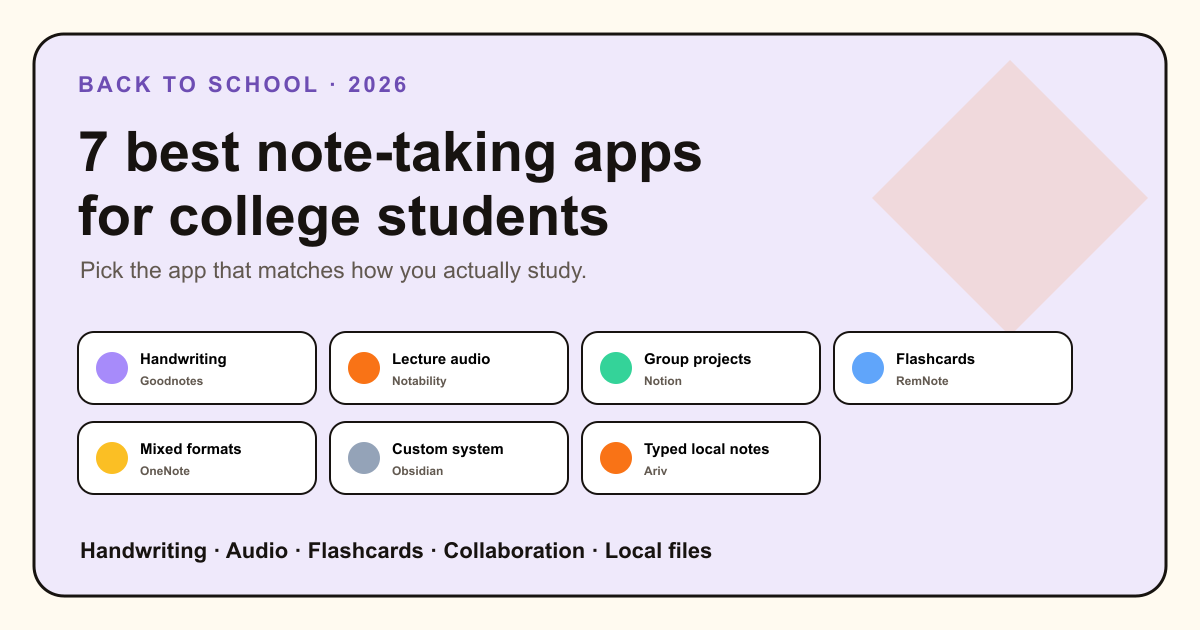
The best note-taking app for college depends on what happens after the lecture. Do you annotate slides with an Apple Pencil? Replay audio? Turn facts into flashcards? Share a project hub? Or keep typed class notes, readings, and deadlines in files you can still open after graduation?
Those are different jobs. This guide gives each app a clear best for label and names its limits. It also separates note quality from app features: a powerful tool cannot replace attention during class or a useful review habit.
The best student note-taking apps at a glance
Typed notes, handwriting, media, sync, and class collaboration across common devices.
Digital notebooks, searchable handwriting, PDF annotation, and study tools.
Handwriting and typed notes connected to recording and playback.
Shared pages, databases, course hubs, and a generous education plan.
Notes and spaced-repetition practice inside one learning system.
Local Markdown, links, Canvas, and plugins for students who enjoy setup.
Markdown notes, tasks, calendar, capture, and search without plugin assembly.
Handwriting or typing? The research is more useful than the debate
A 2024 meta-analysis combined 24 studies comparing handwritten and typed note-taking. Across those studies, taking and reviewing handwritten notes was associated with higher course and test outcomes. Typing often captured more words and remains valuable for speed, accessibility, search, and reorganizing material.
That does not make one device correct for every student or course. A chemistry diagram, a fast programming lecture, and a seminar reading ask for different forms of capture. A more practical rule is to choose the method that helps you process ideas during class and review them afterward.
1. Microsoft OneNote
Best free all-rounder for mixed note formatsOneNote is the safest default when you need a little of everything. Its notebook, section, and page structure handles typed text, handwriting, images, files, equations, and audio or video. It syncs across Windows, Mac, iOS, Android, and the web, and shared notebooks work well for group study.
The app is free, though storage and some wider Microsoft 365 features depend on your account. Its free-form canvas is flexible, but large notebooks can feel less transparent than a folder of ordinary files, and export is not its strongest feature.
- Choose it if: you want one free app for typing, ink, media, and collaboration.
- Skip it if: plain files and easy migration matter more than a multimedia canvas.
2. Goodnotes
Best for handwritten notes and PDF annotationGoodnotes turns a tablet into a shelf of digital notebooks. You can write with a stylus, search handwriting, mark up lecture slides and textbooks, record audio, and build study sets. It is a natural fit for equations, diagrams, and courses where the instructor works directly on slides.
The free plan is limited to three files. Paid plans unlock a fuller library and more features, with plan details varying by platform. Goodnotes now reaches Apple, Android, Windows, and web, but the richest experience still makes the most sense with a good stylus device.
- Choose it if: an iPad or tablet and handwritten PDF workflow are central.
- Skip it if: you mostly type or want notes as plain Markdown files.
3. Notability
Best for notes tied to lecture audioNotability combines handwriting, typing, PDF annotation, recording, transcription, and synced playback. Tap a part of a note and the app can return to the corresponding point in the recording, which is useful when a lecturer moves quickly or an explanation needs a second listen.
A free starter tier is available, with paid plans for broader use and premium features. Notability is focused on Apple devices, with a web experience also available. Always check your school's rules and local consent law before recording a class.
- Choose it if: replaying lecture audio alongside notes is the key need.
- Skip it if: you need strong Windows or Android support, or do not record classes.
4. Notion
Best for course dashboards and group projectsNotion is good at turning a semester into a shared operating system. Pages and databases can hold a course list, assignment calendar, reading tracker, lab notes, and project hub. Real-time collaboration is much stronger than in the local-first apps on this list.
Eligible college and university students can get Notion's Plus plan free with a school email. Offline pages are supported, but they must be downloaded and Notion remains a cloud-first workspace rather than a simple local file library.
- Choose it if: shared projects, databases, and a visual semester dashboard matter most.
- Skip it if: you want effortless full-library offline access or plain local files.
5. RemNote
Best for notes that become flashcardsRemNote connects note-taking with spaced repetition. You can turn ideas in your notes into flashcards, schedule reviews, and study PDFs without maintaining a separate card deck. That is especially useful in medicine, languages, law, and other recall-heavy programs.
The free plan includes unlimited notes, flashcards, and devices, with limits around PDFs and advanced tools. Pro adds features such as deeper PDF annotation, an exam scheduler, and handwriting. Eligible students can receive an education discount.
- Choose it if: active recall and spaced repetition drive your studying.
- Skip it if: you need a simple notebook and do not want a learning system.
6. Obsidian
Best for a custom local knowledge baseObsidian keeps notes as local Markdown files and makes connections easy through links, backlinks, graph view, Canvas, Bases, and plugins. It can become an excellent research library, lab notebook, or long-term knowledge base that remains useful after school.
The core app is free on desktop and mobile. Optional Sync and Publish services are paid, with an education discount available. Its flexibility also creates setup choices. Students who are prone to rebuilding productivity systems should keep the vault simple.
- Choose it if: you want file ownership, links, and deep customization.
- Skip it if: you want a ready-made class workflow with almost no setup.
7. Ariv
Best for typed notes, local Markdown, and built-in tasksAriv is a good fit when your schoolwork is mostly typed and you want notes, deadlines, daily planning, search, and knowledge links together without hunting for plugins. Your notes stay as Markdown files on your device. The app adds tasks and Kanban, calendar, graph, quick capture, voice memos, automatic organization, and optional AI around them.
The full app is free on Mac, Windows, and Android, with iOS in development. Paid plans cover optional managed sync and AI. Ariv is not the best pick for Apple Pencil handwriting, PDF-first study, synced lecture-audio playback, or real-time group editing. Goodnotes, Notability, and Notion win those jobs.
- Choose it if: you type class notes and want a low-maintenance local workspace for notes and tasks.
- Skip it if: handwriting, rich PDF annotation, iOS today, or live collaboration is essential.
Choose your app in 10 minutes
Take one real lecture note, one reading PDF, and one upcoming assignment. Try the same three actions in your top two apps: capture the lecture, find a fact, and schedule the next step. Do not spend the test building a perfect dashboard.
Pick OneNote for broad free flexibility, Goodnotes for handwriting, Notability for audio-linked lectures, Notion for group work, RemNote for flashcards, Obsidian for a custom knowledge base, or Ariv for a typed local Markdown workspace with tasks already connected. If Markdown itself is the main requirement, compare the broader list of best Markdown note-taking apps.
If your work has shifted from classes to papers, citations, literature synthesis, and a multi-year project, use the separate guide to the best note-taking apps for PhD students.
The best student notes app is the one that makes review easier, not the one that makes setup feel productive.
Sources and verification
- 2024 meta-analysis of handwritten and typed note-taking
- Microsoft OneNote and official note features
- Goodnotes plans and student features
- Notability plans and features
- Notion for Education and offline pages
- RemNote pricing, spaced repetition, and PDF Reader
- Obsidian Help, education discount, and Ariv features
Last verified August 12, 2026.
Found something inaccurate? Tell us and we will correct it.