Flexible durations
Choose among three useful session lengths instead of configuring a complex routine.
Adoro lives in the Mac menu bar, gives the next block of work a clear edge, and keeps the session record simple enough to use again tomorrow.
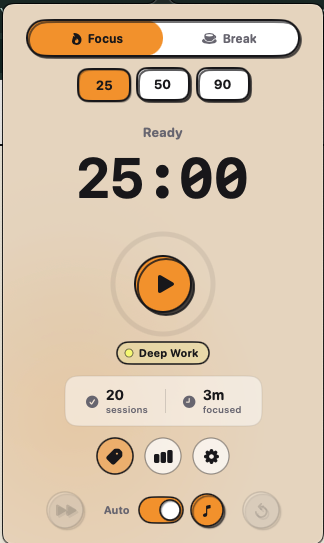
25 minutes · A quick focus burst
Adoro is not another planning system. It gives one task a clear time boundary, stays close in the menu bar, and makes finished sessions visible afterward.
Use 25 minutes for a quick push, 50 for deeper work, or 90 for a longer protected session.
The timer stays available from the menu bar without asking you to keep another browser tab open.
Simple history and insights help you notice a rhythm without turning focus into another maintenance project.
Choose among three useful session lengths instead of configuring a complex routine.
Start and check the timer from a familiar place without reorganizing the desktop.
Review completed sessions and patterns when that context helps you plan the next block.
Keep the note, next task, and loose thought in one local-first Markdown workspace when the timer ends. Ariv is free and works on Mac and Windows.
The current release is deliberately compact. Here is what to expect.
Yes. Adoro 1.0.0 is free to download and does not require an account.
Adoro includes 25, 50, and 90 minute focus sessions.
Yes. The current download supports both Apple silicon and Intel Macs.
Pick one session length and start with the work already in front of you.